
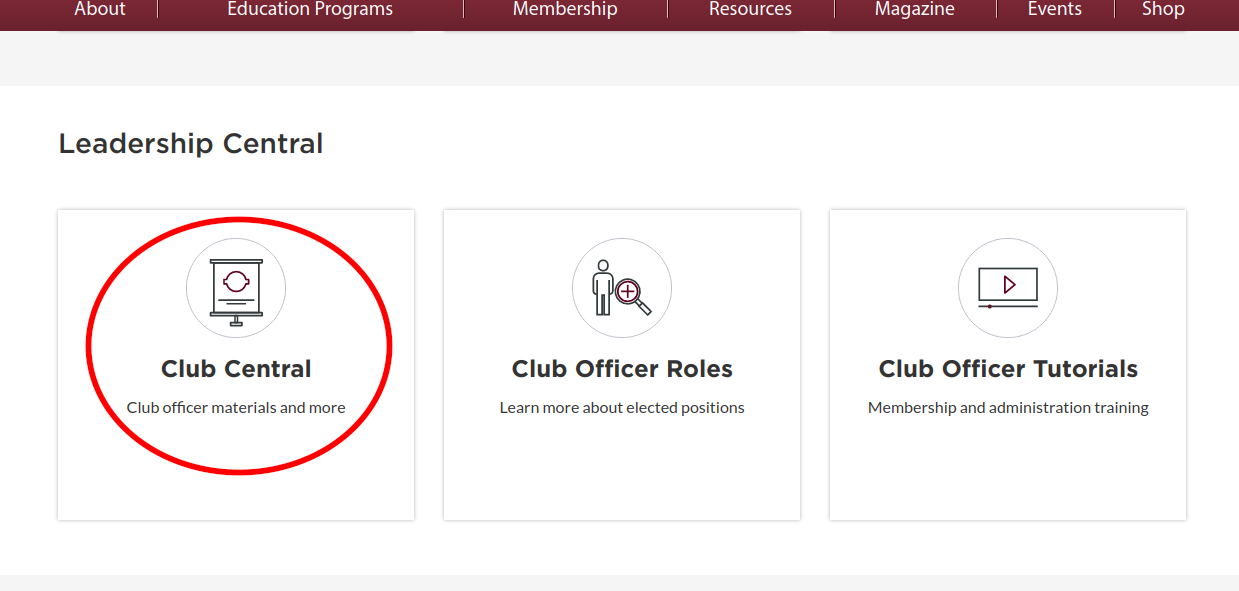
Club Central is available only to active club officers and is used to manage key club responsibilities such as membership, dues, and awards.
Step-by-Step Instructions
- Visit the Toastmasters Website
Open your browser and go to www.toastmasters.org. - Log In to Your Account
Select Log In at the top of the page and sign in using your Toastmasters email/username and password.
If you don’t remember your password, click Forgot password? to reset it. - Find Club Central
Once logged in, you have two common ways to access Club Central:- From the Leadership Central menu, select Club Central, or
- From your personalized My Home page, where a direct link to Club Central may appear (depending on the current site layout).
- Manage Club Administration
Inside Club Central, you can take care of essential club business such as:- Managing member records
- Paying dues
- Submitting education awards
- Updating club information
Important Notes
- Officer Access Required: Club Central is restricted to currently serving club officers.
- Same Login Credentials: Use the same username and password you use for your general Toastmasters International account.
If you’re unable to access Club Central, double-check that your officer role has been properly recorded for the current term.